How to Redeem Chase a Storm Codes
Step-by-step redemption habits so you claim rewards without falling for scams.
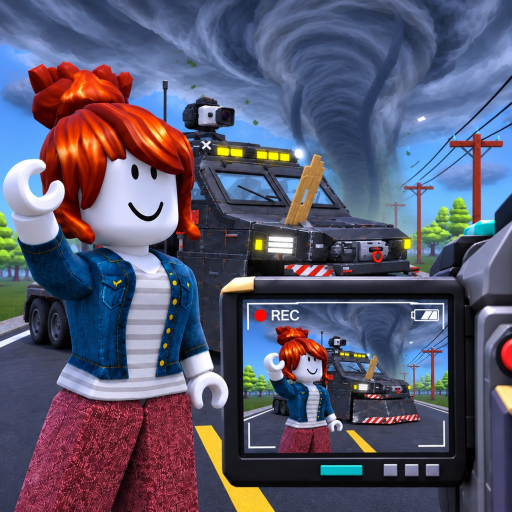
Promo codes are one of the fastest ways to grab free Storm Points, gear boosts, or cosmetic drops in Roblox experiences—but only when the studio actually ships them. Chase a Storm! by nonlethal studios is still early after its ~November 9, 2026 launch, and no working codes are verified on this wiki yet. This page teaches you the redemption workflow so you are ready the moment a real code drops, and it shows how to ignore the flood of fake lists that appear around every new storm-chase game.
Bookmark the live Codes hub for the verified table. This guide is the companion: process, safety, and troubleshooting—not invented strings.
Before you type anything
Treat codes like limited tickets. A few minutes of setup prevents the classic “invalid code” loop.
- Update Roblox on desktop or mobile so UI buttons and text fields render correctly.
- Join the official group — many Roblox games gate codes behind membership in the creator community (nonlethal studios). Open the group page from the experience’s creator link, hit Join, then relaunch the game so membership syncs.
- Enable any required likes or favorites only if the studio says so in an official post. Do not trust third-party sites that demand follows on random accounts.
- Play on a normal server, not a private exploit lobby. Codes are redeemed through the legitimate client UI.
- Have inventory space / progression unlocked if the reward is an item. Some titles refuse rewards until you finish a short tutorial chase.
If a code still fails after these steps, the problem is almost always the code itself (expired, mistyped, or fake)—not your account.
Where the Codes UI usually lives
Exact button labels can change with patches, but Chase a Storm follows the same patterns as other Roblox survival / chase titles:
- Lobby / garage screen before you deploy the truck: look for a ticket, gift, or “Codes” icon near Settings, Shop, or Daily Rewards.
- Pause / menu panel during a chase: less common for redemption, but some games keep a persistent Codes tab.
- Interactable board or NPC in the hub yard: walk up, press the prompt, and a redeem modal opens.
When you find the field:
- Click or tap Codes (or the equivalent).
- Paste the string exactly—Roblox codes are usually case-sensitive.
- Press Redeem / Submit once. Spamming the button can look like an exploit and may soft-lock the modal.
- Watch for a toast or reward popup. If nothing appears, check your Storm Points counter and backpack before assuming failure.
Write down successful redemptions in a notes app. That habit helps when the Codes hub marks a string expired later.
Official sources vs fake code farms
The only trustworthy places to learn that a code exists are:
- nonlethal studios posts on the Roblox group / experience page
- The studio’s linked social channels if they announce launches there
- This wiki’s Codes page after we independently verify in-client
Untrustworthy patterns (close the tab):
- Sites that list “unlimited Chase a Storm codes” the same day the game released, with no studio citation
- Pages that force downloads, “executor keys,” or Discord “verification” bots before showing a code
- YouTube descriptions stuffed with random ALLCAPS strings and affiliate malware links
- Anyone asking you to message a username, share your password, or enter a code on a website that is not Roblox
Never enter account credentials on a codes website. Redemption happens inside the Roblox experience only.
Typing rules that stop most errors
- Prefer Copy → Paste. Hand-typing
0vsOor1vslwastes attempts. - Strip spaces at the start and end. Some sites add invisible characters when you highlight poorly.
- Try the code once per session. If it fails, wait for an official re-drop rather than guessing variants.
- If the UI says you already redeemed it, you are done—codes are almost always one-time per account.
- After a major interceptor update (see Interceptors update), studios sometimes ship a celebration code. Check the hub again that day.
What rewards usually look like
Until verified codes appear, expect typical Roblox chase-game payouts if/when nonlethal studios enables them:
- Flat Storm Points for truck and camcorder upgrades
- Temporary XP or chase multipliers
- Cosmetic skins for interceptors or camcorders
- Starter gear crates that shortcut early progression
Rewards will never require a paid “code unlocker.” If a guide claims you must buy a key to redeem free codes, it is a scam. Spend your time learning real chase loops instead—start with Getting Started and the Storm Points deep dive.
Troubleshooting checklist
| Symptom | Likely cause | What to do |
|---|---|---|
| Invalid / not found | Fake or expired string | Recheck Codes; ignore third-party lists |
| Already redeemed | Prior success on this account | Move on; codes are one-use |
| Button missing | Tutorial incomplete or UI moved | Finish Day 1 chase; scan lobby icons again |
| No reward popup | Soft UI glitch | Rejoin server; verify currency totals |
| Group-gated message | Not in studio group | Join nonlethal studios, relaunch |
Still stuck after a studio-announced code fails for many players? That is a bug report for the creators, not a reason to download a “fixer” script. Read Script safety before you touch any executor.
Habit stack for every new chase session
- Open Codes — skim for anything newly verified.
- Redeem inside the game using the steps above.
- Dump points into battery or truck upgrades before you roll out (see Chase checklist).
- Run a clean chase focused on filming value, not gambling on unverified strings.
Codes are a bonus layer on top of skill. The durable progress in Chase a Storm still comes from surviving hazards, picking the right interceptor, and coordinating a 1–4 player crew. Use this redemption guide when gifts exist; use the rest of the wiki when they do not.
Related pages
- Codes hub — verified / empty list status
- Getting Started — first-hour loop
- Script safety — why “code generators” are dangerous
- Interceptors update — patch timing that often coincides with promos
Frequently Asked Questions
Quick answers for Chase a Storm players.
Are there any working Chase a Storm codes right now?
This wiki has not verified any active promo codes yet. Check the Codes hub for the live status and ignore third-party lists that invent strings.
Do I need to join a Roblox group to redeem codes?
Many Roblox games require joining the creator group first. Join nonlethal studios from the experience page, relaunch Chase a Storm, then try the Codes UI again.
Can I redeem codes on a website?
No. Only redeem inside the Roblox client. Any external site asking for your password or a download is a scam.
Why does my code say invalid?
It is expired, mistyped, already used on your account, or was never real. Paste carefully and confirm the string appears on this wiki’s Codes page.
Where should I look when a new interceptor update drops?
Watch official studio posts and refresh the Codes hub the same day. Celebration codes sometimes ship with content updates, but only trust verified entries.