Chase a Storm Controls & HUD Basics
Drive, film, swap seats, and abort cleanly — the inputs that keep Storm Points flowing.
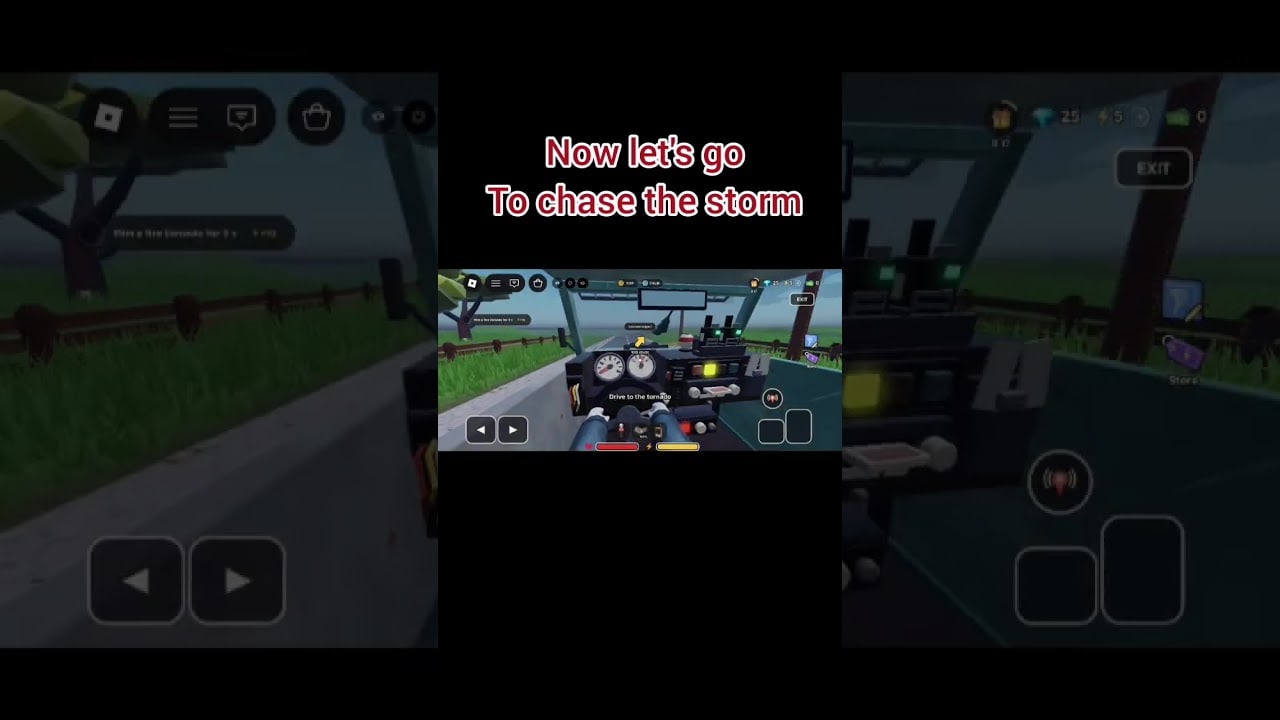
Chase a Storm uses familiar Roblox movement with a chase-specific layer: truck driving, camcorder recording, battery management, and optional multi-seat co-op. Exact keybinds can vary with your Roblox settings and platform, so treat this page as a systems guide — what actions exist and how to practice them — then confirm bindings in your client.
New players should finish Getting Started alongside this page (that guide embeds a beginner chase video). Squads should pair it with Co-op crew.
Platforms covered
- PC (keyboard / mouse)
- Mobile touch (shift-lock and camera gestures matter)
- Gamepad via Roblox’s generic mapping (verify in Settings → Controls)
Voice chat is listed as unsupported on the place page at research time — use Discord or Roblox text if your crew needs callouts outside proximity chat habits.
Core action map
| Action | Why it matters | Practice drill |
|---|---|---|
| Move / steer truck | Reach cells without eating debris | Figure-eight on empty farm roads |
| Camera look | Frame the funnel | Track a rope without whip-pans |
| Record / camcorder toggle | Storm Points only count when footage is useful | Start/stop between cells |
| Enter / exit vehicle | Recover after loft or swap seats | Timed re-enter after a soft wipe |
| Seat change | Co-op driver vs camera split | Duo seat swap mid-transit |
| Sprint / boost (if unlocked) | Close gaps — or overshoot into the core | Use only with an escape road |
If a control feels missing, open Roblox Settings → Controls and check custom binds. Do not download “control unlocker” executors — see Scripts safety.
Driving fundamentals
- Stay on readable roads when learning. Dirt cut-throughs look faster until hail deletes traction and you face the wrong way.
- Brake before filming turns. A sliding truck ruins frame stability more than a slower approach.
- Keep an abort lane. Every intercept needs a road that points away from the debris band (Survive hazards).
- Upgrade handling after battery. A twitchy Dominus with 5% charge still fails — Storm Points.
Camcorder controls mindset
The camcorder is not a sightseeing toy. Useful habits:
- Toggle record when the tornado is identifiable on screen
- Hold a quartering angle instead of constant 360 spins
- Stop recording during long empty transit to save battery
- Call battery percentages out loud in co-op (~20% — one more take)
Deep payout math lives on the Storm Points guide. The embedded beginner video on this page shows the fantasy loop; pause it and mirror the inputs in a private practice drive (public server — VIP servers are off for this place).
Seats and co-op inputs
With 1–4 players in one interceptor:
- Driver owns steering and abort timing
- Cameraman owns record toggle and framing
- Spotter / navigator may ride without recording
Agree who may touch the record control. Double-toggles waste battery. Full role sheets: Crew roles.
Mobile-specific tips
- Enable a comfortable camera mode before the storm forms
- Use larger on-screen buttons if your thumbs miss the record control mid-hail
- Consider a clip-on stick if you main driver role
- Lower graphics slightly if rain-wrapped storms tank your frame rate and input lag
Gamepad tips
- Remap look sensitivity so funnel tracking is smooth
- Avoid hair-trigger sprint binds that shove you into the core
- Practice seat enter/exit until it is muscle memory — loft recoveries are timed
Private servers and controls myths
Players often search “Chase a Storm private server controls—or PS codes. The place API reports VIP private servers disabled. You cannot buy a VIP server for quiet practice. Use public servers during off-peak hours or join friends directly. More context: Links Hub and Season 2.
Accessibility and comfort
- Lower motion blur / camera shake in Roblox settings if storms induce discomfort
- Use headphones for debris audio cues even when voice chat is unavailable
- Take breaks —lightning jump-scares plus long sessions cause sloppy inputs
Training circuit (15 minutes)
- Spawn, enter truck, drive a rectangle on farm roads
- Practice record toggle five times without moving
- Film a distant rope for ten seconds, stop, transit, film again
- Abort on purpose away from the cell
- Duo only: swap seats once without arguing
Then run the Chase checklist and queue a real Day attempt.
Related pages
Clean inputs beat expensive trucks. Master the toggles, then spend Storm Points.
Frequently Asked Questions
Quick answers for Chase a Storm players.
What are the exact keyboard binds?
Roblox lets players remap controls. Use Settings → Controls in your client, then practice the action map on this page.
Can I practice in a VIP private server?
No. VIP private servers are disabled for Chase a Storm. Use public servers or friends join.
Who should control the camcorder in co-op?
One designated cameraman. Extra toggles waste battery. See Crew Roles for seat splits.
Does mobile support full chasing?
Yes, with touch camera care. Lower graphics if storms cause input lag, and consider a stick for driving mains.
Why won’t my recording earn points?
Footage needs a recognizable storm on screen while you survive. Empty-sky recording drains battery for nothing —read Storm Points.