Chase a Storm Official & Community Links
Jump to the Roblox place, studio group, socials, and the wiki sections players open most.
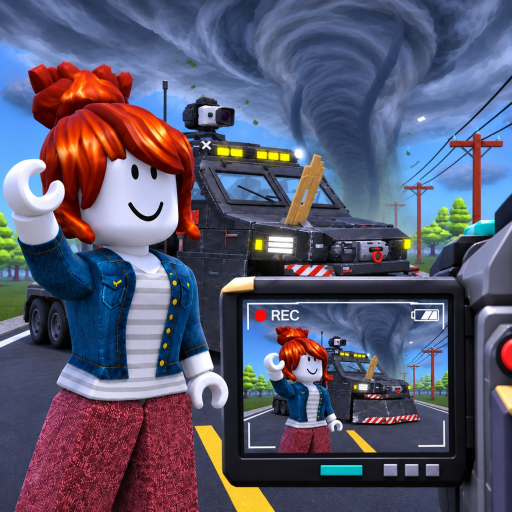
This Links Hub gathers trusted destinations for Chase a Storm! so you are not guessing which Discord invite or random “Trello” is real. The game is a Roblox storm-chasing survival title from nonlethal studios, live since November 2026, with co-op crews of up to four, busy public servers (VIP private servers are disabled), and a loop built around filming tornadoes for Storm Points. There is still no verified official Discord or Trello — treat TikTok and the Roblox group as the primary social surfaces until something is confirmed here.
Bookmark this page beside the main hubs when you need the official place link fast or want to send a friend the right wiki section.
Official destinations
- Play the game: Chase a Storm! on Roblox (Universe ID 10775482571)
- Creator group: nonlethal studios — watch wall posts for interceptor news and events
- Group owner credit: nonlethaI on Roblox
- Social shorts: TikTok @chaseastorm for clips and occasional announcements
Always verify group IDs and URLs before joining voice chats that ask for password resets or “verification scripts.”
Essential wiki hubs
Internal pages stay locale-agnostic with trailing slashes so every language build resolves correctly:
- Codes Hub — status of promo codes (none verified yet) and How to Redeem
- Guides Hub — Getting Started, Controls, Map & Farm Country, Storm Points, Survive Hazards, Co-op Crew
- Tier List Hub — Interceptors, Tornado Types
- Players Hub — Crew Roles, Badges
- Updates Hub — Season 2, Interceptors Update
- Scripts Hub — honesty check plus Scripts Safety
- Tools Hub — practical aids like the Chase Checklist and Gamepasses
What this wiki covers
Chase a Storm mixes driving, storm spotting, and survival pressure. Tornado structures include rope, cone, wedge, multi-vortex, rain-wrapped, and rarer fire forms. Between chases you upgrade trucks and gear — including newer interceptors such as Dominus 2, Dominus 3, Siv 2, and USAV. Badges include the freebie Chase a Storm!, rare Struck by Lightning!, and Day 1 Completed! for early players.
We document those systems with guides and tier lists. We do not invent promo codes, publish exploit pastes, or hotlink random off-site images. When information is missing (for example, no public codes yet), we say so plainly on the Codes Hub.
Community caution list
Avoid:
- Unofficial “free Robux with Chase a Storm codes” sites
- Executor Discords that demand account cookies
- Fake Trello boards that harvest emails
- Paid “private server scripts” for a place with VIP private servers disabled and no verified script ecosystem
Prefer this wiki’s Scripts Safety primer and official Roblox destinations above.
How to suggest a link
If nonlethal studios publishes a Discord, Trello, or roadmap, it will be added here after verification. Until then there is still no Discord/Trello listed — treat TikTok and the Roblox group as the primary social surfaces. For gameplay help, skip link spam and open Getting Started or the Chase Checklist.
Quick orientation for brand-new visitors
- Click the official Roblox link and finish a clean solo chase.
- Read Getting Started and Survive Hazards.
- Check Updates so you know which interceptors exist this week.
- Invite friends with Co-op Crew and Crew Roles.
- Return here whenever you need the canonical place URL again.
This Links Hub is the switchboard. The rest of chaseastorm.wiki is the playbook.
Frequently Asked Questions
Quick answers for Chase a Storm players.
Is this wiki official?
No. It is an independent fan resource about Chase a Storm. Official announcements come from nonlethal studios on Roblox and related social channels.
What is the real game link?
Use the Roblox place Chase a Storm! under universe 10775482571 via the official link listed on this page.
Where do developers post updates?
Watch the nonlethal studios group wall, place description changes, and TikTok @chaseastorm. Summaries also land on the Updates Hub.
Do you list Discord or Trello yet?
No verified Discord or Trello is listed yet. Unverified invite links are omitted on purpose to reduce phishing risk.
Can I practice on a VIP private server?
No. VIP private servers are disabled for Chase a Storm. Use public servers or friends join.
Where should I go for gameplay help?
Start at the Guides Hub, then Tier List and Players hubs. Use Codes and Scripts hubs only for status checks — both report nothing verified yet.